



- AI-native systems stop functioning if you remove the AI while AI-enabled systems continue working with one less feature. That distinction determines which legacy modernization path actually applies.
- The two differ across five technical dimensions (integration, development, performance, UX, and use cases) not just one part of the stack
- Knowing when to move from AI-enabled to AI-native comes down to a combination of signals rather than one clear trigger.
- Going AI-native is a major shift, not a quick upgrade. It comes with real considerations, constraints, and trade-offs around cost, security, and governance.
- Legacy systems can modernize via rehosting, refactoring, replatforming, re-architecting, or full replacement. Re-architecting is the realistic starting point for AI-native.
- Products like ChatGPT, Cursor, Perplexity’s Comet browser show what AI-native looks like while Microsoft’s Copilot and Google’s AI search summaries show what AI-enabled look like.
What does AI-native and AI-enabled actually mean?
The easiest way to tell the two apart is what IBM calls the removal test: "if the AI were to be removed, the product would not just cease to function as intended, it would cease to be useful at all" (IBM, What Is AI Native?). If removing the AI leaves a working product with one less nice feature, that system is AI-enabled. If removing it leaves nothing worth using, it's AI-native.
The same logic can be also applied on the architecture side: AI-native systems are designed so that AI capabilities are part of the system's DNA, when it comes to model training, inference, and feedback loops tightly coupled to core logic. AI-enabled systems, in their analysis, leave the underlying application untouched and treat AI as an add-on, typically a call out to an external inference service bolted onto infrastructure that was never built with AI in mind.
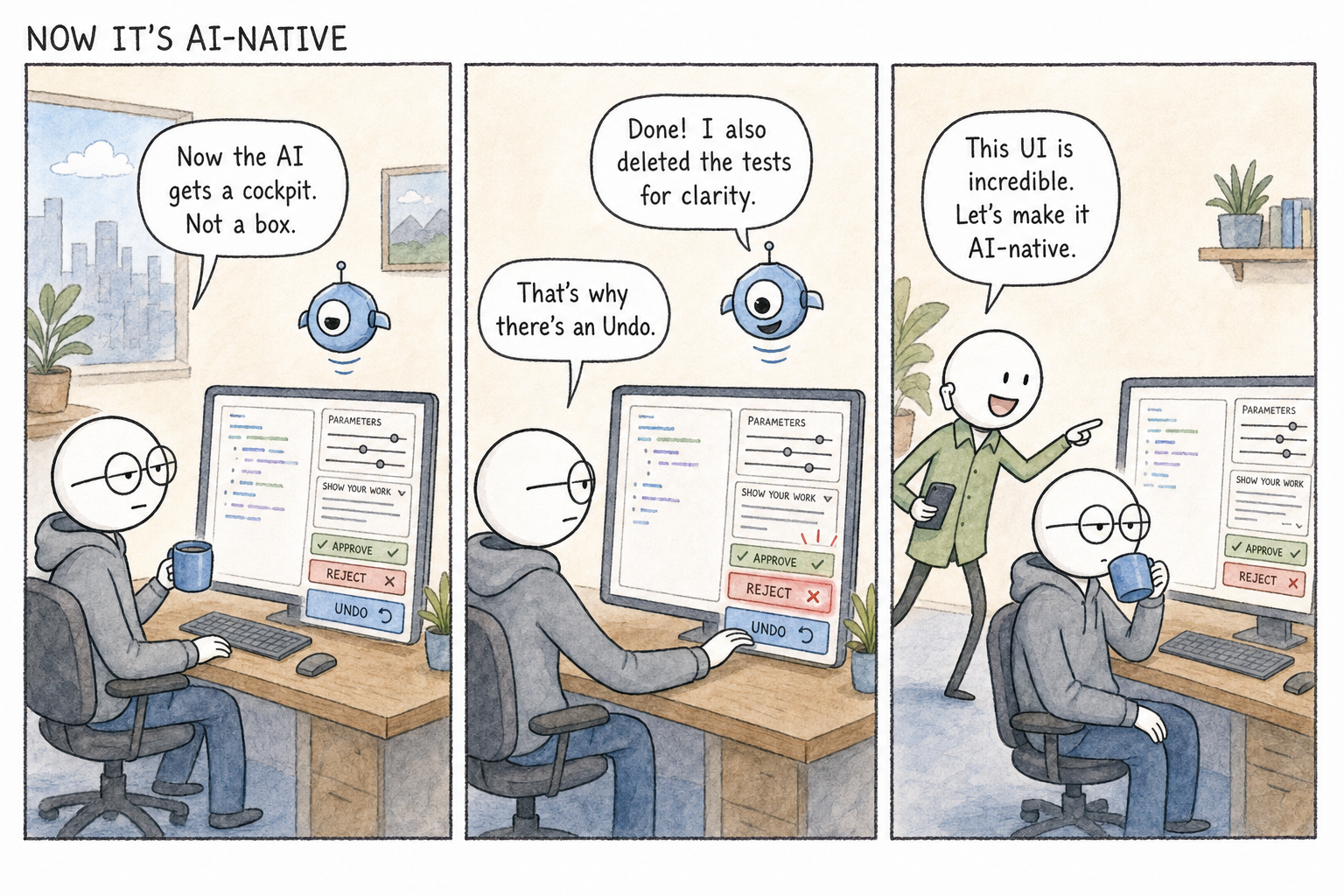
Why does this distinction matter for legacy system modernization?
Legacy system modernization has traditionally been framed as a technical and cost question, rehost, replatform, or replace. AI adds a second axis to that decision: not just where the system runs, but what role AI plays inside it.
Forbes contributor Joe Toscano puts the practical difference bluntly: an AI feature is "like a reach extender... it solves a real problem [but] it is emphatically not changing your life," while an AI-native product is closer to the Iron Man suit, it changes the user's entire relationship to the system. He uses Kodak as a cautionary example: Kodak invented the first digital camera in 1975 but couldn't build a company native to that reality without dismantling the one it already had, and by the time the shift was undeniable, it was too late.
The same choice sits inside most legacy modernization projects today. A retrofit that adds a chatbot or a summarization button to an aging system is a real improvement, but it's still an AI-enabled patch on old architecture.
Deciding whether that's sufficient, or whether the system needs to be rebuilt around AI as its core logic, is the actual strategic question behind AI-native vs. AI-enabled, and it's a modernization decision, not a marketing one.
Five key technical differences between AI-native and AI-enabled systems
The gap between AI-enabled and AI-native systems shows up in how data flows through the system, how teams build and ship it, how users interact with it, and what kinds of problems each is suited to solve. The table below breaks that down:
When do you know it is time to move from AI-enabled to AI-native?
There's no single trigger, it's a combination of signals. Based on the decision framework in Exabeam's AI-native vs. AI-enabled analysis, and IBM's guidance on assessing legacy applications, the clearest signs are:
- AI is meant to be the product, not a feature of it: If the business case depends on continuous adaptation or real-time decisioning as the core value proposition, an AI-enabled patch will always feel like a ceiling.
- You're hitting the AI-enabled ceiling: Symptoms include AI features that only work for a subset of users because scaling them is cost-prohibitive, models running in batch instead of real time, or data that needs manual reformatting every time it's used.
- Your technical debt is already forcing a rebuild: IBM notes that legacy technical debt, shortcuts taken to hit earlier deadlines, compounds until the infrastructure becomes progressively harder to maintain. If a rebuild is already on the table for non-AI reasons, that's the moment to decide whether to rebuild AI-native rather than AI-enabled.
- Your data is ready for it: AI-native architecture needs clean data arriving constantly through real-time pipelines; AI-enabled can get by on periodic batch updates. If your data infrastructure isn't there yet, native architecture won't deliver its advantage.
- You have, or are willing to build, the team for it: Going native means staffing up front rather than after launch, data science, ML engineering, and DevOps all involved from day one, which is a very different hiring plan than having one engineer wire up an API call.
If most of these point toward "not yet," AI-enabled is very likely the right call for now, and that's a legitimate outcome, not a failure to be ambitious.
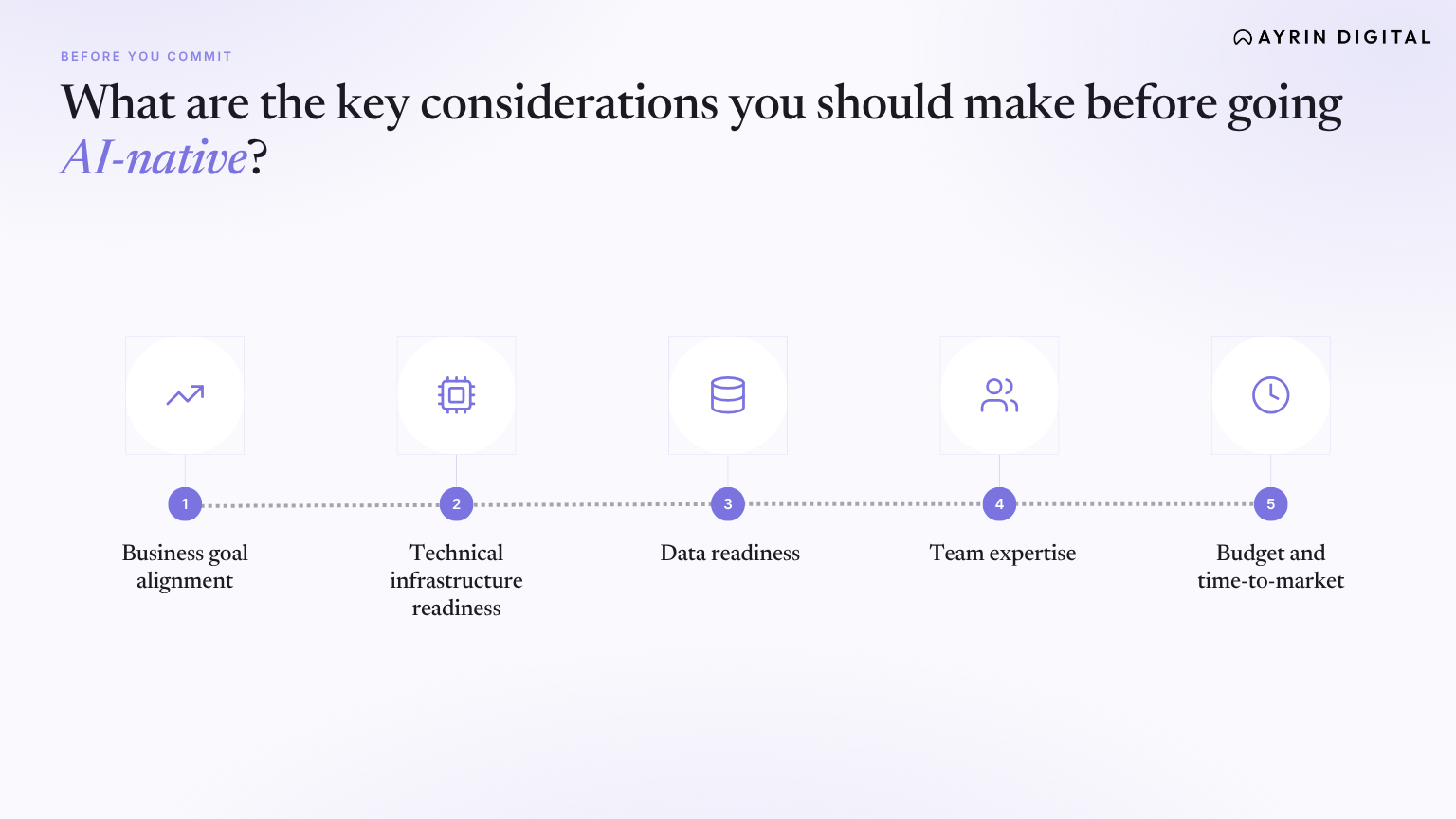
What are the key considerations you should make before going AI-native?
Going AI-native solves real limitations, but it introduces constraints that an AI-enabled patch doesn't carry:
- Business goal alignment: Go native only if AI outcomes are central to the value you're delivering; otherwise, "enable" is the more efficient choice.
- Technical infrastructure readiness: Native architecture assumes GPU/TPU acceleration, streaming data pipelines, and MLOps maturity. Building these from scratch is a materially larger project than integrating an API.
- Data readiness: Native systems depend on a steady, real-time stream of clean data; if your pipeline still relies on periodic exports and manual cleanup, that has to be solved first.
- Team expertise: Native development needs those specialized roles, data science, ML engineering, DevOps, in place before you start, not a solo developer wiring up an API call after the fact.
- Budget and time-to-market: AI-enabled features can ship in weeks; AI-native systems require longer upfront build cycles and, per IBM, a cost curve that doesn't scale in a straight line with data volume or model complexity.
What constraints and trade-offs to plan for whilst going AI-native?
Going AI-native solves real limitations, but it introduces constraints that an AI-enabled patch doesn't carry:
- Cost and complexity: Gathering and processing training data, then training, maintaining, and orchestrating models, is a substantial undertaking in its own right, separate from the cost of the surrounding application.
- Governance and reliability risk: AI systems can fail in ways traditional software doesn't: hallucinations, reasoning failures, tool misuse, and gradual model drift, all of which need active, ongoing monitoring rather than a one-time launch check.
- Security surface area: Data protection (encryption across ingestion, streaming, and storage), access control extended to model artifacts and training data, model integrity verification, prompt/input security for LLM-driven systems, and incident response plans that include model rollback, all considerations that don't exist, or exist in a much smaller form, in an AI-enabled system where disabling the AI feature is usually enough to contain an incident.
- Compliance obligations: AI-native systems need a governance layer with responsible-AI principles built in from the start, particularly for regulated industries, this is materially more work than compliance-checking an isolated AI feature.
These aren't reasons to avoid AI-native modernization, they're the actual cost of what IBM calls the intelligence moat: AI-native systems become difficult to copy precisely because the intelligence is embedded in the workflow rather than sitting in a removable feature.
Top legacy system modernization approaches
IBM lays out five standard legacy modernization strategies, and they map cleanly onto how much of an AI-native shift each one can support:
- Rehosting: Lifting the system onto new infrastructure with almost no code changes. Quick, but it doesn't touch the AI question either way.
- Refactoring: Cleaning up and reorganizing the existing codebase so it runs better and is easier to maintain, without changing what the application actually does. This is where most AI-enabled additions get bolted on.
- Replatforming: Shifting the application onto different underlying infrastructure, which usually means adapting some code and can bring performance and scalability gains along the way. Still generally AI-enabled territory.
- Re-architecting: Redesigning the application's structure from the ground up to meet current standards, usually in phases. This is the point where a true AI-native rebuild becomes realistic, since the architecture itself is already being torn up.
- Full replacement: Starting over when the legacy system is too outdated to modernize safely. The highest-risk, highest-disruption option, but also the cleanest opportunity to build AI-native from a blank slate.
What is mentioned above isn't a recommendation for which one to pick, but a description of the general menu. What follows is our own point of view, as an applied AI product and engineering firm that works through this decision with clients directly. Also,see what these approaches cost and how to evaluate a partner.
- Decide the AI question before the infrastructure question. Most teams pick a modernization strategy first (rehost, replatform, re-architect) and ask "where does AI fit" second. We'd reverse that order: decide what role AI needs to play in the system's core value proposition first, because that answer determines which modernization strategy is even viable. You can't retrofit an AI-native rebuild onto a straight rehost; you can build one into a re-architecting effort.
- Prove it on one workflow before committing the architecture. Rather than committing up front to a full AI-native rebuild or a purely evolutionary refactor, we generally recommend isolating a single, high-value workflow, building that one piece AI-native end-to-end, and treating it as a forcing function. It surfaces your real data-readiness, team, and governance gaps before you commit the whole system to one path.
- Weight the team you actually have over the team the roadmap assumes. The considerations above list the ML engineering, DevOps, and governance capacity an AI-native system needs. We treat an honest answer to "do we have this capability today, in-house or through a partner" as a harder gate than budget or timeline.
- Treat re-architecting, not full replacement, as the real decision point. Full replacement gets the most attention because it's the most dramatic option, but in our experience most organizations that genuinely need to go AI-native don't need to start from zero. They need the re-architecting phase to be scoped explicitly around making AI part of the system's core logic, rather than bolting it onto whatever comes out of the redesign. That's typically a smaller, cheaper project than full replacement, and it gets to the same outcome.
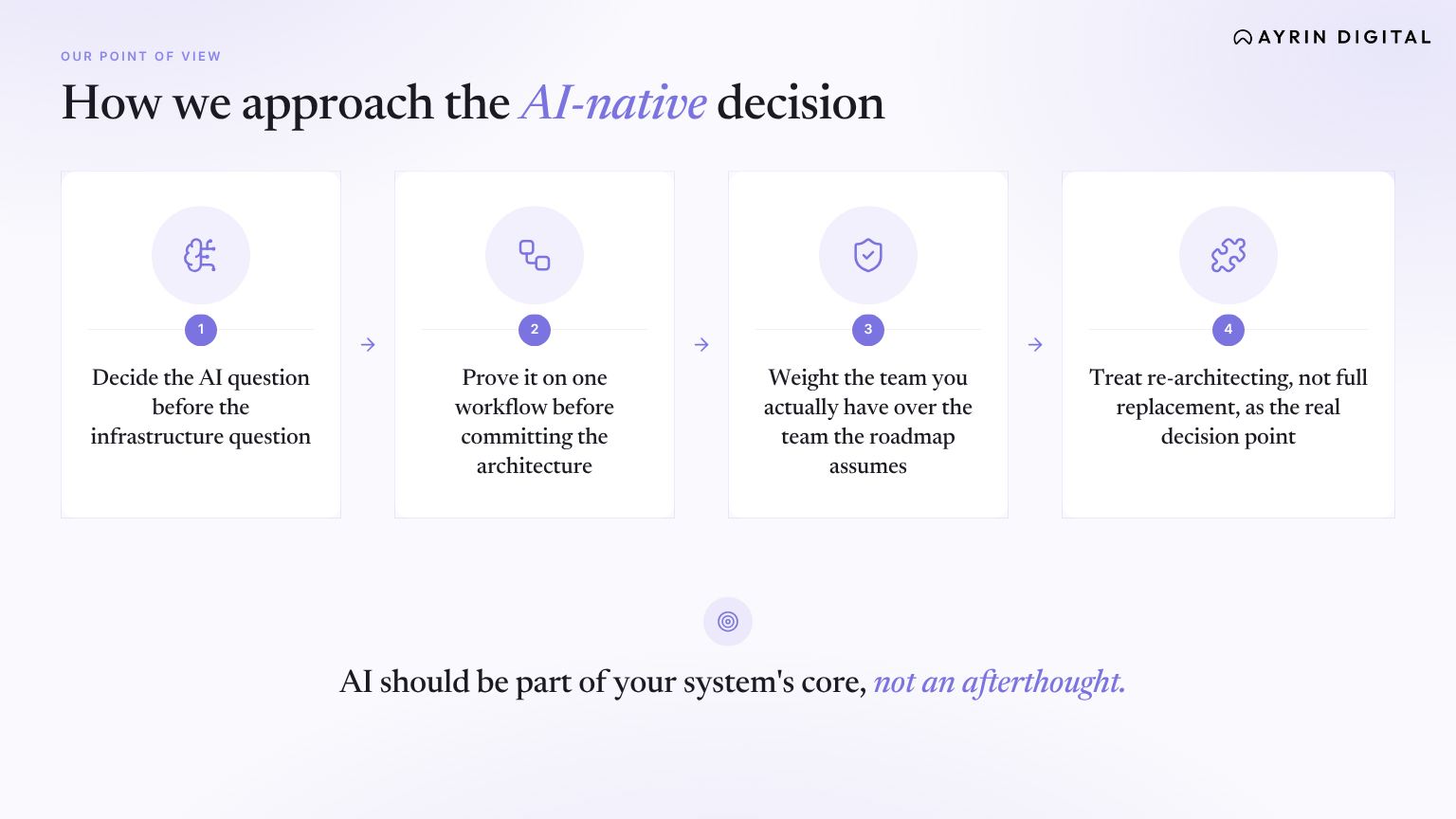
This is our operating recommendation based on how we approach these engagements, not an industry consensus. You may use it as a starting point for your own team's discussion, alongside the signals and constraints covered earlier on this page.
How to prepare for
AI-native modernization
The shift doesn't have to be a single big-bang rebuild: the companies getting it right aren't rebuilding their entire platform at once, they're stacking small AI-native workflows until those workflows become the product. The recommended starting point is to build a shared internal language for what AI-native actually means using examples from your own industry, then pick one workflow where AI can serve as infrastructure rather than garnish, ship it, and learn before moving to the next one.
That pairs with IBM's general approach to prioritizing modernization work: inventory what you have, then rank each application by how hard it would be to change and how much upside there'd be from changing it. Whatever comes out on top of that ranking is the natural first candidate for an AI-native rebuild; everything else can stay on an AI-enabled or purely rehosted path until the business case to revisit it is clearer.
For organizations without in-house MLOps and AI-native engineering experience, this is typically where an applied AI and engineering partner is brought in, not to sell a platform, but to do the architecture and engineering work of building the AI-native pieces the internal team doesn't yet have the bench for, on systems the organization continues to own outright.
Real-world examples of AI-enabled and AI-native products
Concrete examples make the distinction easier to apply than definitions alone.
AI-native where AI is the foundation and not a feature bolted on:
- ChatGPT, Sora, DALL-E: These are platforms born with AI in their very first version, technology made possible because of AI.
- Cursor: The AI-powered code editor; it improves as it learns from how developers actually work, and that improvement attracts more developers who generate more data.
- Perplexity's Comet browser: An AI assistant is integrated into the experience, summarizing content, drafting emails, comparing shopping results; the experience is mediated through AI at every step.
AI-enabled where AI layered onto something that already worked fine:
- Microsoft Word/Excel with Copilot: Microsoft has added AI to Word, Excel, and other products, but Search and Word are completely possible without AI.
- Google Search AI summaries: added on top of a search engine that predates AI
- Nonprofit-sector tools like Virtuous CRM or Bloomerang: AI-enabled tools that have existed for years; if you removed AI from the platform it would still be useful, albeit with some features and performance removed
Conclusion
AI-native vs. AI-enabled is not a vocabulary problem. It decides which modernization path is even open to you. Rehosting and refactoring keep you in AI-enabled territory. A true AI-native rebuild usually needs re-architecting, which is a smaller, more contained project than full replacement.
The order is what matters. Decide what role AI plays in the system's core value before you pick a modernization strategy. Prove it on one high-value workflow. Weigh the team you actually have over the one the roadmap assumes.
And if most of the signals point to "not yet," AI-enabled is the right call. That is a real answer, not a lesser one.
Also see, how to prepare for AI-native modernization if you are a reader evaluating AI for government IT modernization.